
Understanding Your GainWorkers Wallet: A Seamless Financial Hub
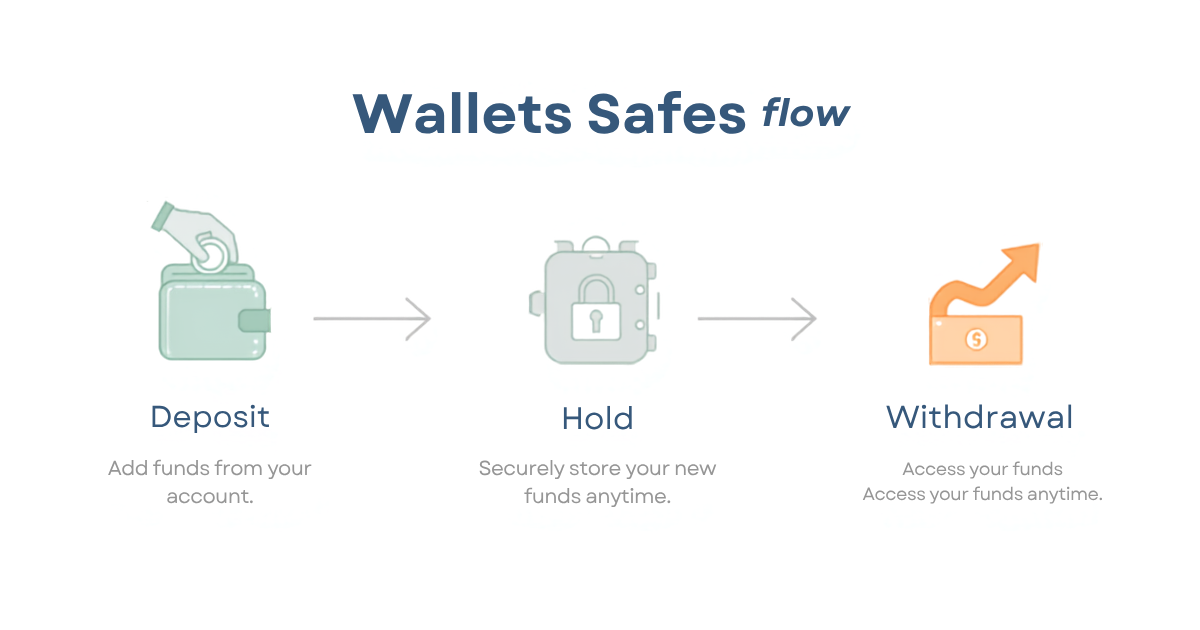
The GainWorkers wallet serves as your central financial hub, enabling seamless management of funds for both earning and hiring on the platform. Whether you are a worker looking to deposit funds for premium task access, track your pending and approved earnings, or an employer needing to fund campaigns and withdraw profits, the GainWorkers wallet facilitates a transparent and efficient flow. Workers utilize their wallet to receive payments for completed micro tasks, which are then held in their USD wallet and can be withdrawn through various configurable payout channels. Employers use their wallet to deposit campaign budgets, which are held until tasks are completed and reviewed, with any remaining funds or profits available for withdrawal.
For Workers: Earning and Managing Your Income
As a worker on GainWorkers, your wallet is where your hard-earned money resides. After successfully completing tasks and having your proofs approved, your earnings are credited to your pending earnings balance and then moved to your USD wallet. This balance is what you can eventually withdraw.
Depositing Funds (Optional)
- Workers may choose to deposit funds into their wallet to cover potential costs associated with certain tasks, such as qualification exams or to access premium listings that may require a small balance.
- Deposits can typically be made via card checkout (Stripe) or bank transfer methods where available.
Tracking Earnings and Transaction Flow
- Navigate to your dashboard and access the 'Wallet' section to view your current balance, pending earnings, and a detailed transaction ledger.
- The transaction ledger provides a clear history of all deposits, earnings from approved tasks, service fees, and withdrawals, ensuring full transparency.
- Approved work moves from pending earnings to your USD wallet, making it available for withdrawal according to platform rules.
Withdrawing Your Earnings
- Once your balance meets the minimum withdrawal threshold, you can initiate a withdrawal from your USD wallet.
- GainWorkers offers configurable payout channels, including bank transfers, PayPal, and cryptocurrency options, catering to diverse worker needs.
- Withdrawals are subject to balance rules and may require optional KYC verification depending on the amount and chosen payout method.
For Employers: Funding Campaigns and Managing Budgets
Employers use the GainWorkers wallet to fund their campaigns and manage their project budgets effectively. Funds deposited are held securely until tasks are completed and reviewed.
Depositing Campaign Funds
- Employers must deposit funds into their wallet to launch any campaign, whether it's a Standard, TimeSlot+, or Blueprint campaign.
- The deposited amount covers the total estimated cost of the campaign, including payments per slot, employer commission, and any applicable fees.
- Deposits can be made through available methods like card checkout or bank transfers.
Campaign Budget Management
- Your wallet balance reflects the available funds for ongoing campaigns. The campaign dashboard provides real-time tracking of spend and slot fill rates.
- Funds are allocated per task completion and review. Unreviewed proofs may automatically approve after the employer review window expires, leading to fund disbursement.
- Employers can pause, resume, or clone campaigns directly from the dashboard.
Withdrawing Unspent Funds or Profits
- Any unspent funds remaining after a campaign concludes, or profits generated, can be withdrawn from your employer wallet.
- Withdrawal processes for employers follow similar guidelines to workers, utilizing configurable payout channels and subject to platform balance rules.
Key Takeaways
- The GainWorkers wallet is a unified financial system for both workers and employers.
- Workers receive approved earnings in their USD wallet, with a clear transaction ledger for tracking.
- Employers deposit funds to cover campaign costs; unspent funds are eligible for withdrawal.
- Multiple withdrawal methods are available, subject to platform balance rules and potential verification.
- Transparency in financial transactions is a core feature of the GainWorkers platform.
Frequently Asked Questions (FAQ)
What is the primary function of the GainWorkers wallet?
The GainWorkers wallet acts as a central hub for managing all financial transactions on the platform. For workers, it's where earnings are held and withdrawn. For employers, it's used to fund campaigns and withdraw any remaining balances or profits.
How do workers receive payments for completed tasks?
Once a worker submits proof for a task and it passes automated checks and employer review, the payment is credited to their pending earnings. Approved earnings are then transferred to the worker's USD wallet and become available for withdrawal.
Can employers withdraw unspent campaign funds?
Yes, employers can withdraw any unspent funds remaining in their wallet after campaigns have concluded or are no longer active. This ensures that employers only pay for completed and approved work, with flexibility for unused budgets.
What are the available withdrawal methods for GainWorkers users?
GainWorkers offers a variety of configurable payout channels for withdrawals, which can include options such as bank transfers, PayPal, and cryptocurrency. Specific options may vary based on user location and platform updates. Users can manage their preferred payout methods in their account settings.
How can I ensure the security of my funds in the GainWorkers wallet?
GainWorkers employs robust security measures to protect user funds. Additionally, users can enhance their account security by using strong, unique passwords and enabling any available two-factor authentication options. Transparent transaction ledgers also allow users to monitor all financial activity.
Where can I find more information about managing my wallet?
For detailed instructions and support regarding wallet management, including deposit and withdrawal procedures, please visit the GainWorkers help center or consult the work history section for transaction specifics.
Comments
0 commentsNo comments yet. Be the first to share your thoughts.