
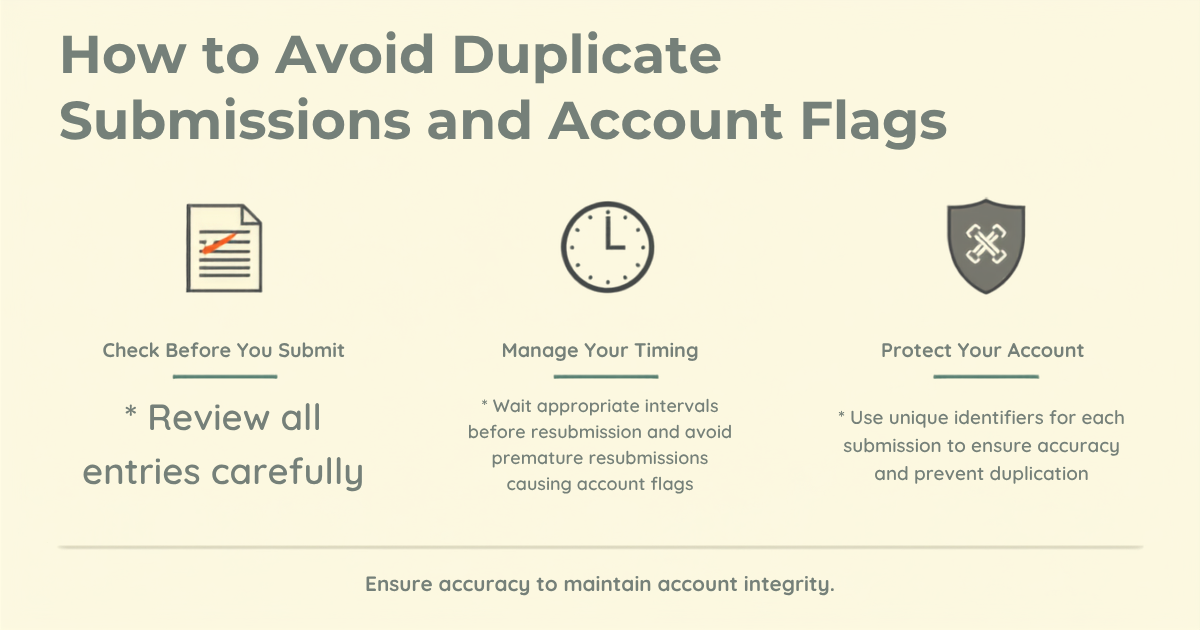
How to Avoid Duplicate Submissions and Account Flags on GainWorkers
To avoid duplicate submissions and subsequent account flags or suspensions on micro-task platforms like GainWorkers, workers must meticulously adhere to task instructions, never attempt the same task multiple times unless explicitly permitted for multi-slot tasks, and ensure all submitted proof is unique, accurate, and directly corresponds to the specific slot accepted. Vigilant review of eligibility criteria, maintaining a high success rate, and leveraging platform features like Work History are crucial for upholding account integrity and preventing issues.
Maintaining a positive account standing on GainWorkers is paramount for consistent earning opportunities. Duplicate submissions are a leading cause of rejections, account flags, and in severe cases, account suspension. Understanding the nuances of task completion and proof submission can safeguard your worker profile and ensure your efforts translate into maxi gains.
Understanding Task Eligibility and Rules
Before accepting any task, a thorough understanding of its requirements and eligibility criteria is your first line of defense against potential issues. GainWorkers offers various task types, each with specific rules:
- Standard Tasks: These are open marketplace tasks where you preview, accept, and submit proof. Always read the description carefully.
- TimeSlot+ (TS+) Tasks: These involve a timed full-screen work session followed by proof submission. The timed nature inherently helps ensure unique sessions.
- Group Tasks: These are invite-only, visible only to workers added by Member ID. Duplication within a group task is particularly scrutinized.
- Blueprint Campaigns: These are step-by-step templates. Follow each step precisely.
Key areas to review before accepting a slot:
- Task Instructions: Read every detail. Employers often specify what constitutes acceptable proof and what actions are prohibited.
- Slots Remaining: This indicates how many times the task can still be completed across all workers. For multi-slot tasks, it also indicates if you can accept another slot, but remember, each slot requires unique work and proof.
- Payment Per Slot: Understand the rate to assess if the effort for unique proof is worthwhile.
- Eligibility Rules: Check for required success rate, trust score, geographic targeting, and VPN/proxy restrictions. Attempting tasks you are ineligible for can lead to rejections and impact your success rate.
- Completion Deadline: Be aware of the time limit you have to submit proof once you accept a slot. Rushing can lead to errors or accidental duplicates.
By carefully reviewing these details, you significantly reduce the risk of accepting a task you cannot complete uniquely or correctly. You can browse available tasks and their requirements at GainWorkers jobs.
Best Practices for Unique Submissions
The core principle to avoid duplicate submissions is simple: every slot you accept and submit for must have unique, distinct proof that demonstrates you performed the required action specifically for that slot. Employers are looking for fresh evidence of work, not recycled submissions.
- Never Reuse Proof: This is the most critical rule. Do not use the same screenshot, URL, text, or file upload for different slots of the same task, or for different tasks that appear similar. Each piece of proof must be generated anew for the specific slot you are working on.
- Address Rejection Feedback: If a task is rejected, review the employer's reason code. If it was rejected for duplication, do not simply resubmit the exact same proof. Understand why it was flagged and make genuine corrections or select a different task. Resubmitting identical rejected proof is a quick path to further flags.
- Unique URLs and Screenshots: For tasks requiring website visits, clicks, or sign-ups, ensure any URLs submitted are distinct (e.g., a specific page you landed on, not just the homepage) and screenshots are fresh, showing current timestamps or unique identifiers relevant to your specific completion of that slot.
- Structured Template Fields: For TS+ and Blueprint jobs, fill out all structured fields accurately and uniquely for each session. Do not copy-paste previous answers without modification if the task demands unique input.
- IP and Device Integrity: Adhere to any VPN/proxy rules. Using methods to mask your identity or location in violation of task rules can lead to rejections and flags, as it often correlates with attempts to bypass unique submission requirements.
- Time-Sensitive Proof: Some tasks require proof with a timestamp or a specific date. Ensure your proof reflects the actual time you completed the current slot.
Leveraging GainWorkers Features for Compliance
GainWorkers provides tools to help you manage your work and avoid issues effectively.
- Work History: Your Work History page is an invaluable resource. Use it to track all your submissions, their status (pending, approved, rejected), and any feedback from employers. Before accepting a task that seems familiar, quickly check your Work History to see if you have completed it before and what the outcome was. This helps prevent accidental duplicates.
- Success Rate and Trust Score: Your success rate and trust score are directly affected by task approvals and rejections. High-quality, unique submissions contribute positively, while rejections, especially for duplication, will lower these metrics. A low success rate can restrict access to Premium tasks and higher-paying jobs.
- Qualification Exams: Some Premium or specialized tasks require workers to pass a qualification exam. Successfully passing these indicates your understanding of complex instructions, which inherently reduces the likelihood of submission errors and duplicates.
- Hiding Jobs: If you encounter a job you're not interested in or find confusing, you can hide it from your view, reducing clutter and preventing you from accidentally accepting it later.
Maintaining a High Success Rate and Trust Score
Your success rate and trust score are your reputation on GainWorkers. They are crucial for accessing a wider array of tasks, including the higher-paying Premium listings with stricter eligibility. Duplicate submissions directly undermine these metrics.
- Prioritize Quality Over Quantity: While it might be tempting to complete many tasks quickly, focusing on accuracy and adherence to instructions for each submission is more beneficial in the long run. One approved, high-quality submission is better than several rejected, rushed ones.
- Learn from Rejections: Every rejection comes with a reason code. Understand why your work was not approved. If it's a duplication issue, analyze what led to it and adjust your workflow to prevent recurrence. This learning process is vital for continuous improvement.
- Adhere to All Rules: From geo-targeting to minimum success rates, always ensure you meet all specified criteria. Attempting tasks you are ineligible for will result in rejections, regardless of the quality of your proof, and still impact your success rate.
What to Do if You Suspect an Issue
If you accidentally submit duplicate proof, or if a task is rejected for duplication and you believe it's an error, take the following steps:
- Review Immediately: Check your Work History and the task instructions. Try to understand if there was an oversight on your part.
- Contact Support: If you genuinely believe there was a mistake in the rejection, or if you need clarification on task rules to avoid future issues, contact GainWorkers support. Be prepared to provide your unique Member ID (GW_XXXXXXXXXX) and specific details about the task and submission in question.
- Learn and Adapt: Use every experience, positive or negative, as a learning opportunity to refine your approach to micro-tasking.
Key Takeaways
- Always read task instructions thoroughly before accepting a slot.
- Ensure every proof submission is unique and directly addresses the task requirements for that specific slot.
- Utilize your Work History on GainWorkers to review past submissions and employer feedback, preventing accidental duplicates.
- Never attempt to resubmit identical proof for a rejected task without making necessary corrections based on feedback.
- Understand eligibility criteria, including geo-targeting and success rate requirements, to avoid ineligible submissions.
- If a task feels ambiguous or unclear, seek clarification through the platform's support channels before submitting.
- Maintain a high success rate by prioritizing quality and accuracy in all your work, as this impacts access to better tasks.
Comments
0 commentsNo comments yet. Be the first to share your thoughts.